Register at Temple Nile Casino Official and Claim Your No-Wagering Welcome Bonus

Temple Nile Casino launched in 2018 under White Hat Gaming and holds a UKGC licence (account 52894) plus an MGA licence. Registering takes under five minutes and unlocks 2,000+ games, a 50 Free Spins welcome offer on Big Bass Bonanza, and access to the Temple Bazaar loyalty shop. This guide covers every step of the sign-up process, KYC requirements, bonus conditions and account security - so you start on the right foot.

50 free spins · Big Bass Bonanza
Join Nowwith bonus
Why creating an account matters

Without a verified account you cannot place real-money bets, claim the Temple Nile welcome bonus or use any deposit method. Registration also activates your personal dashboard where you set deposit limits, track transaction history and access responsible gambling tools required by the UKGC. In short, the account is the gateway to everything the platform offers - games, promotions and the Temple Bazaar rewards shop.

The casino accepts players from Great Britain and several other regulated markets. The available account currencies are GBP, EUR, CAD, NOK, NZD and SEK, so choose the one that matches your bank to avoid conversion fees.

Where to find the registration button

On desktop the 'Register' button sits in the top-right corner of every page, next to 'Login'. On mobile the same button appears in the hamburger menu or at the top of the page when you open the site in a browser - Temple Nile has no separate Android app, but the mobile site is fully optimised for Chrome and Safari. iOS users can also find a native app in the App Store (requires iOS 14.0+).

Tap or click 'Register' and the three-step form opens immediately - no redirect, no waiting.

Register at Temple Nile

What you need before you start

Temple Nile is open to players aged 18 and over. Before filling in the form, have the following ready:

  • A valid email address you check regularly (confirmation link is sent here).
  • Your full legal name as it appears on a government-issued ID.
  • A UK residential address (street, city, postcode).
  • A mobile number for optional SMS verification.
  • A payment method for your first deposit (Visa debit, Mastercard debit, Skrill, Neteller, Trustly, Paysafecard or Apple Pay).

Players must be residents of an accepted territory. UK players are subject to UKGC rules, including affordability checks that may apply at higher deposit levels.

Registration methods available

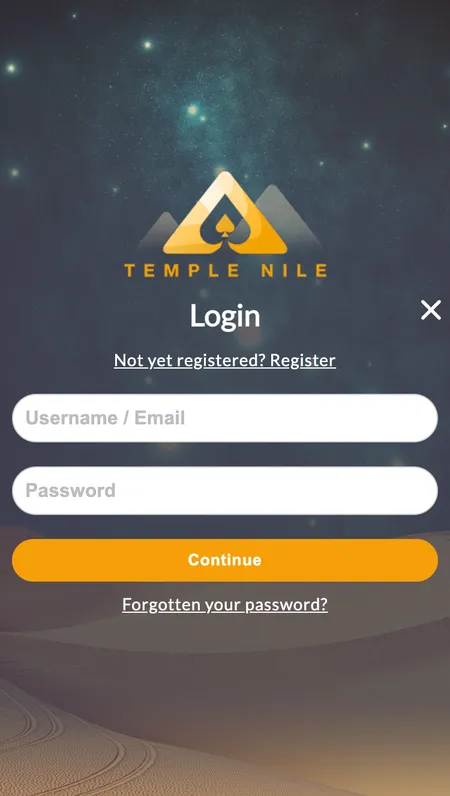
Temple Nile uses a classic email-based sign-up. There is no social login (Google, Facebook) and no phone-only registration path. You create a unique username, choose a password and link an email address. This keeps your account separate from any third-party platform and gives you full control over login credentials.

How the three-step form works

The registration form is split into three short screens:

Step Fields
1 - Personal details First name, last name, date of birth, country
2 - Contact details Email, phone number, address, city, postcode
3 - Account settings Username (4-20 characters, no spaces), password (8-64 characters, no spaces), currency

Password rules: minimum 8 characters, maximum 64, no spaces. Use a mix of letters and numbers. The casino does not enforce special characters but longer passwords significantly reduce brute-force risk.

At the end of step 3 you accept the General Terms and Promotional Terms. Read the Promotional Terms if you intend to claim the welcome offer - the bonus conditions are binding from the moment you tick the box.

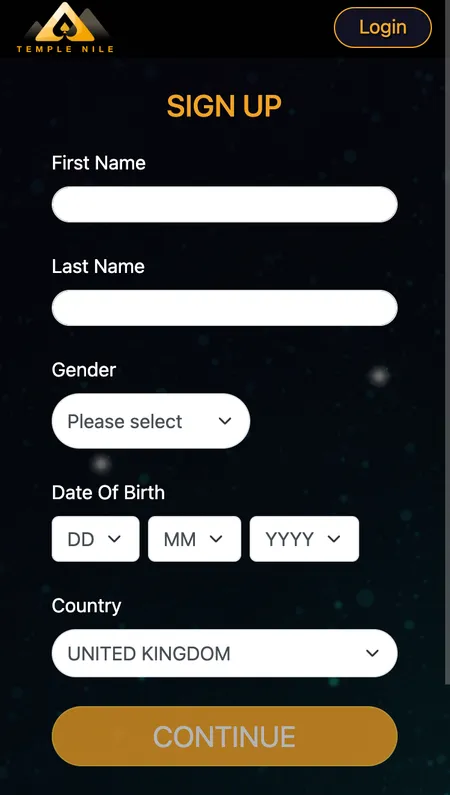
Step 1 of Temple Nile registration form

Step 1 asks for your name, date of birth and country. All fields are mandatory.

Email confirmation and common errors

After submitting the form, Temple Nile sends a confirmation email to the address you entered. Click the link within the validity window to activate your account. If the email does not arrive within five minutes:

  • Check your spam or promotions folder.
  • Make sure you typed the address correctly (a typo at registration means the link goes nowhere).
  • Use the 'Resend confirmation' option on the login page.

If the link has expired, request a new one through the login screen. SMS confirmation is not used for the initial sign-up but may appear during certain verification steps later.

Step-by-step registration walkthrough

  1. Temple Nile homepage with Register button highlighted

    Open templeNile.com in your browser. Click the 'Register' button in the top-right corner of the page.

  2. Personal details form on Temple Nile

    Fill in step 1: your first name (max 30 characters, no special symbols), last name, date of birth and country of residence.

  3. Contact details form including email and address

    Complete step 2: enter a valid email, phone number, home address, city and postcode. These details must match your ID documents.

  4. Account settings screen with username and currency fields

    Set up step 3: choose a unique username (4-20 characters), create a strong password and select your preferred currency (GBP recommended for UK players).

  5. Email inbox showing Temple Nile confirmation message

    Check your inbox for a confirmation email. Click the activation link to verify your address and unlock your account.

Start Registration Now

Registering on different devices

The registration flow is identical across all devices because the site runs in HTML5 and adapts to any screen size.

  • Desktop (Chrome, Firefox, Edge): full three-step form with clear field labels and inline validation.
  • Mobile browser (Android/iOS): the form stacks vertically; the keyboard auto-triggers on each field.
  • iOS app (App Store, iOS 14.0+): the native app mirrors the mobile browser experience; registration is built in and does not require visiting the website separately.

There is no dedicated Android app. Android users access the site through their mobile browser - the experience is fully functional and includes all games, the cashier and account management.

First login after registration

Once your email is confirmed, click 'Login' and enter your username or email plus your password. The dashboard opens with your balance displayed at the top. From here you can navigate to the cashier to make your first deposit, head to the Promotions page to check the current welcome offer, or start browsing the 2,000+ game catalogue.

If you registered on desktop, the same credentials work on mobile without any extra setup. Auto-login is available if your browser or the iOS app saves the password.

Registering through the iOS app

Download the Temple Nile app from the App Store (search 'Temple Nile', requires iOS 14.0+). Open the app and tap 'Register'. The form is identical to the browser version. After completing all three steps and confirming your email, you can deposit and play directly in the app. The app interface reflects the Egyptian theme of the desktop site and loads all game categories including live casino.

Temple Nile mobile registration screen on iOS

The iOS app registration screen follows the same three-step structure as the desktop site.

KYC verification: what happens after sign-up

Temple Nile is licensed by the UKGC (account 52894), which requires identity verification before any withdrawal is processed. After logging in for the first time, open the Verification tab in your account dashboard and upload clear scans of:

  • A government-issued photo ID (passport or driving licence).
  • Proof of address dated within the last three months (utility bill or bank statement).

Documents must show the same name you used during registration. Support may also request a selfie or a time-stamped document if there is any ambiguity. KYC document data is stored separately from your account credentials and is protected by SSL encryption.

Upload documents as soon as you register - this prevents delays when you make your first withdrawal. First withdrawals often take longer because the full KYC check runs at that point. Getting it done early means faster cashouts later.

Temple Nile uses SSL encryption across the entire site. All RNG outcomes are audited by eCOGRA, iTechLabs and Quinel - three independent testing labs. Your KYC documents are stored encrypted and separate from your login data.

Password security and account protection

Your password is the first line of defence. Temple Nile allows passwords between 8 and 64 characters. Longer passphrases (for example, four random words) are harder to crack than short complex strings. Do not reuse a password from another site.

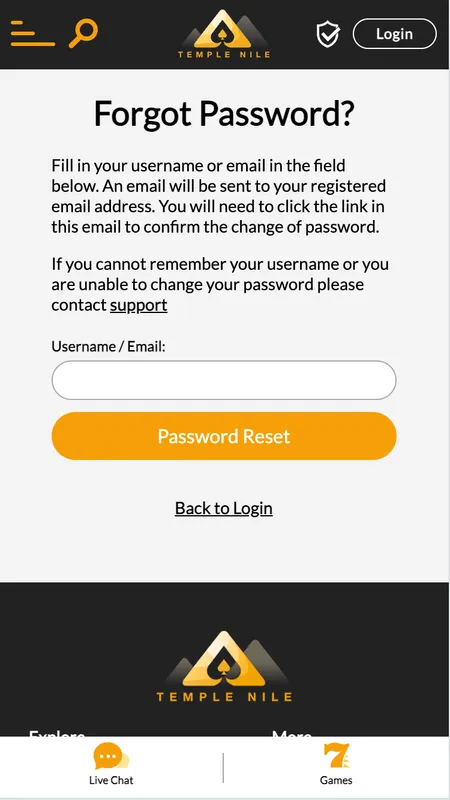
The platform sends email notifications for login events and password changes. If you receive a notification you did not trigger, use the password reset link immediately. Password recovery is done by requesting a time-limited link to your registered email - there is no phone-based reset option.

There is no two-factor authentication (2FA) toggle visible in the player dashboard at the time of writing, so a strong unique password and a secure email account are your primary protection layers.

Common registration problems and how to fix them

Problem Likely cause Fix
'Email already in use' Account exists with that address Use the Login page and 'Forgot Password'
Confirmation email not received Spam filter or typo in email Check spam folder; contact live chat
Form not submitting Missing mandatory field Scroll up to find the red-highlighted field
Username taken Another player has that name Try a variation with numbers
Country not in dropdown Restricted territory Temple Nile does not accept players from all markets

Temple Nile does not accept players from all countries. If your country is not available in the registration dropdown, the casino is not licensed to serve you. Do not use a VPN to bypass this restriction - accounts created with false location data will be closed and funds confiscated under the General Terms.

Welcome bonus: what new players receive

After your first deposit of at least £20, Temple Nile credits 50 Free Spins on Big Bass Bonanza - but only after you have wagered at least £10 from that same deposit on slots. The spins are valid for 72 hours. Winnings from the free spins go directly to your cash balance (no wagering requirement) with a maximum win cap of £100.

Key conditions to remember:

  • Minimum first deposit: £20.
  • Slot wager required before spins unlock: £10.
  • Free spins valid: 72 hours after credit.
  • Game: Big Bass Bonanza only.
  • Max win from spins: £100 (paid as withdrawable cash).
  • Withdrawing cash before completing the £10 wager cancels your right to the free spins.

For full details on ongoing promotions and the Temple Tokens loyalty programme, visit the Temple Nile bonuses page.

Create your account today and unlock 50 Free Spins on Big Bass Bonanza with your first deposit at Temple Nile Casino.

Managing your profile after registration

Your account dashboard includes:

  • Balance overview and transaction history.
  • Cashier for deposits and withdrawals.
  • Responsible gambling tools: daily, weekly and monthly deposit limits; session time limits; reality checks at 30, 60 or 90 minutes; time-outs from 24 hours to 6 weeks; self-exclusion for 6 months to 5 years or permanently.
  • KYC document upload tab.
  • Notification preferences for promotional emails and competition updates.

Reducing a deposit limit takes effect immediately. Increasing a limit requires a 24-hour cooling-off period and email confirmation - a UKGC requirement designed to prevent impulsive decisions.

If you ever need support, live chat is available 24/7 via the 'Contact Us' link in the footer. The Temple Nile home page has a full overview of the casino including game categories and provider list.

FAQ

Can I register if I am under 18?

No. Temple Nile Casino requires all players to be 18 or older. Age verification is part of the KYC process and accounts found to belong to minors are closed immediately.

How many accounts can I have?

One account per person, household and IP address. Duplicate accounts are a breach of the General Terms and result in closure of all related accounts.

Which currencies are available at registration?

You can choose from GBP, EUR, CAD, NOK, NZD or SEK. UK players should select GBP to avoid conversion fees when depositing or withdrawing.

What if I forget my username?

Your username is shown in the confirmation email sent at registration. You can also contact live chat with your registered email address to retrieve it.

How long does KYC verification take?

Most documents are reviewed within 24 hours. Uploading clear, high-resolution scans of matching-name documents speeds up the process. Support may request additional items such as a selfie.

Can I change my currency after registration?

Currency is fixed at registration and cannot be changed later. If you need a different currency, you would need to close the account and open a new one - which requires a different email address.

Do I need to verify my account before my first deposit?

You can deposit before completing KYC, but you must pass verification before any withdrawal is processed. Uploading documents immediately after registration avoids delays later.

What happens to my free spins if I withdraw early?

If you withdraw your cash balance before wagering the required £10 on slots, the 50 Free Spins are cancelled. The wager must be completed with the first deposit funds before the spins are credited.

Is Temple Nile safe for UK players?

Yes. The casino holds a UK Gambling Commission licence (account 52894) and an MGA licence (MGA/B2C/370/2017). All games are tested by eCOGRA, iTechLabs and Quinel. The site uses SSL encryption throughout.

What if my confirmation email link has expired?

Log in to the site and use the 'Resend confirmation email' option on the account activation screen. If that does not work, contact live chat for manual verification.